The global object in Node.js serves as a powerful feature that allows developers to access variables and functions that are available throughout the entire application. One of the key aspects of this global object is that it provides a single scope for all modules.
For instance, when you define a variable in the global scope, it can be accessed from any module without needing to export or import it explicitly. This can be particularly useful for configuration settings or utility functions that need to be accessed across various files.
global.myGlobalVar = "Hello, World!";
However, relying too heavily on the global object can lead to issues with maintainability and readability of the code. It’s crucial to strike a balance between convenience and clarity. For example, consider the following snippet where we define a function globally:
global.sayHello = function() {
  console.log(myGlobalVar);
};
Now, any module can call sayHello() and it will output the value of myGlobalVar. This kind of flexibility can be quite powerful, but it also increases the risk of name collisions and unexpected behaviors if multiple modules attempt to define the same global variable.
To mitigate these issues, it’s advisable to use the global object sparingly. When possible, encapsulate your variables and functions within modules. This not only promotes better organization but also enhances the testability of your code.
When you need to expose certain functionalities globally, consider using the module.exports approach instead. By defining your exports explicitly, you create a clear contract for how your modules should be used.
module.exports = {
  greet: function() {
    console.log("Greetings from the module!");
  }
};
In the consuming module, you can then import and use this functionality without polluting the global namespace:
const myModule = require('./myModule');

myModule.greet();
Using require in this way not only promotes modularity but also enables better testing practices. You can easily mock or stub these modules in your tests without worrying about their global state.
Understanding the nuances of the global object is essential for writing robust Node.js applications. It’s critical to consider the implications of your design choices and how they affect the maintainability and scalability of your code. As you dive deeper into the Node.js environment, you’ll find that mastering the global object is just the beginning of a larger conversation about architecture and design.
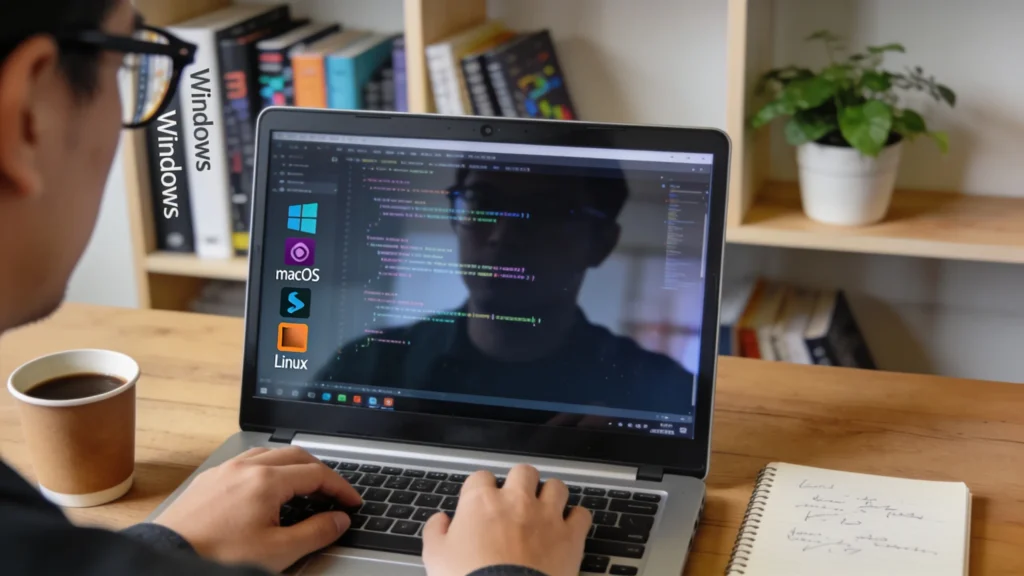
Moreover, as you work with Node.js, you will encounter various scenarios that require you to detect the platform your application is running on. The process module provides a way to access information about the current Node.js process, including platform details. This information can be invaluable when implementing cross-platform solutions.

Braided Stretchy Band Compatible with Apple Watch Bands 38mm 40mm 41mm 42mm 44mm 45mm 46mm 49mm Women Men, Soft Nylon Solo Loop Magnetic Sport Strap for iWatch Series 11 10 9 8 7 6 5 4 3 2 1 SE Ultra
$8.90 (as of July 13, 2026 03:21 GMT +00:00 - More infoProduct prices and availability are accurate as of the date/time indicated and are subject to change. Any price and availability information displayed on [relevant Amazon Site(s), as applicable] at the time of purchase will apply to the purchase of this product.)Using the process module for platform detection
The process module is a built-in module in Node.js that provides a wealth of information about the current state of the application. One of its most useful features is the ability to determine the platform on which your application is running. This can be particularly important for applications that need to behave differently based on the underlying operating system.
To get started with platform detection, you can use the process.platform property. This property returns a string identifying the operating system platform on which the Node.js process is running. The possible values include darwin for macOS, win32 for Windows, and linux for Linux systems.
if (process.platform === 'win32') {
  console.log('Running on Windows');
} else if (process.platform === 'darwin') {
  console.log('Running on macOS');
} else if (process.platform === 'linux') {
  console.log('Running on Linux');
} else {
  console.log('Unknown platform');
}
This simple check allows you to tailor the behavior of your application based on the platform. For example, if your application needs to handle file paths differently depending on the operating system, you can implement that logic here.
Another useful property of the process module is process.arch, which provides information about the processor architecture. This can help you determine whether your application is running on a 32-bit or 64-bit architecture, which is critical for certain installations or optimizations.
if (process.arch === 'x64') {
  console.log('64-bit architecture detected');
} else {
  console.log('32-bit architecture detected');
}
In addition to these properties, the process module offers several other methods and events that can help you manage your application’s lifecycle and respond to system events. For instance, you can listen for the exit event to perform cleanup tasks before your application shuts down.
process.on('exit', (code) => {
  console.log(About to exit with code: ${code});
});
Using the process module effectively can enhance your application’s robustness and cross-platform compatibility. By detecting the platform and architecture, you can implement conditional logic that ensures your application runs smoothly on different systems. However, it is essential to avoid over-complicating your code with excessive platform checks. Strive for a balance between platform-specific adjustments and maintaining a clean, maintainable codebase.
As you consider cross-platform compatibility, think about the dependencies and libraries your application uses. Some packages may have platform-specific implementations that could affect your application’s behavior. It’s advisable to review the documentation of any third-party libraries to ensure they support the platforms you intend to target.
Another best practice is to leverage environment variables to configure platform-specific settings. This approach allows you to adjust configurations without modifying the codebase directly, facilitating easier deployment across different environments.
const isProduction = process.env.NODE_ENV === 'production';
const config = isProduction ? prodConfig : devConfig;
By using environment variables, you can keep your code cleaner and more adaptable to various deployment scenarios. As you develop your Node.js applications, keep these principles in mind to ensure your code remains maintainable and adaptable to the ever-changing landscape of software development.
Best practices for cross-platform compatibility
When aiming for cross-platform compatibility in your Node.js applications, it’s essential to understand the nuances of file paths. Different operating systems have distinct conventions for file path formatting, which can lead to issues if not handled correctly. The path module in Node.js provides utilities to work with file and directory paths in a consistent manner across platforms.
To get started with the path module, you can use the path.join() method, which intelligently joins path segments together while taking the operating system’s path separator into account. This especially important for ensuring that your file paths are correctly formatted regardless of the environment.
const path = require('path');

const filePath = path.join(__dirname, 'data', 'file.txt');
console.log(filePath);
In the example above, path.join() will produce a file path that’s appropriate for the operating system, whether it’s data/file.txt on Unix-like systems or datafile.txt on Windows. This eliminates the need for manual adjustments based on the operating system.
Another useful method from the path module is path.resolve(), which resolves a sequence of paths or path segments into an absolute path. This can be particularly handy when you need to work with relative paths that depend on the current working directory.
const absolutePath = path.resolve('data', 'file.txt');
console.log(absolutePath);
Using path.resolve() ensures that your application can locate files correctly, regardless of where it is executed. This is especially important in deployment scenarios where the working directory may differ across environments.
In addition to handling paths, consider how your application interacts with the file system. The fs module in Node.js is essential for performing file operations, but be mindful of the differences in file permissions and behaviors across platforms. Always check for errors when performing file operations to ensure that your application can gracefully handle issues such as missing files or permission denied errors.
const fs = require('fs');

fs.readFile(filePath, 'utf8', (err, data) => {
  if (err) {
    console.error(Error reading file: ${err.message});
    return;
  }
  console.log(data);
});
By implementing error handling, you enhance the robustness of your application and improve the user experience, especially in cross-platform contexts where file availability may vary.
Another best practice is to use cross-platform libraries whenever possible. Libraries like cross-env allow you to set environment variables in a way that works across different operating systems, simplifying the configuration process for your application.
cross-env NODE_ENV=production node app.js
This command will work seamlessly on both Windows and Unix-like systems, ensuring that your application can be executed with the correct environment settings regardless of the platform.
As you develop your Node.js applications, always test on the platforms you intend to support. Automated testing frameworks can help ensure that your application behaves as expected across different environments. Consider using tools like Jest or Mocha to set up a comprehensive testing strategy that includes platform-specific tests.
Finally, document any platform-specific considerations in your codebase. Clear documentation helps other developers understand the reasoning behind certain implementation choices and provides guidance on how to work with the application across various environments.
By adhering to these best practices for cross-platform compatibility, you can create Node.js applications that are not only functional but also maintainable and adaptable to a variety of deployment scenarios.