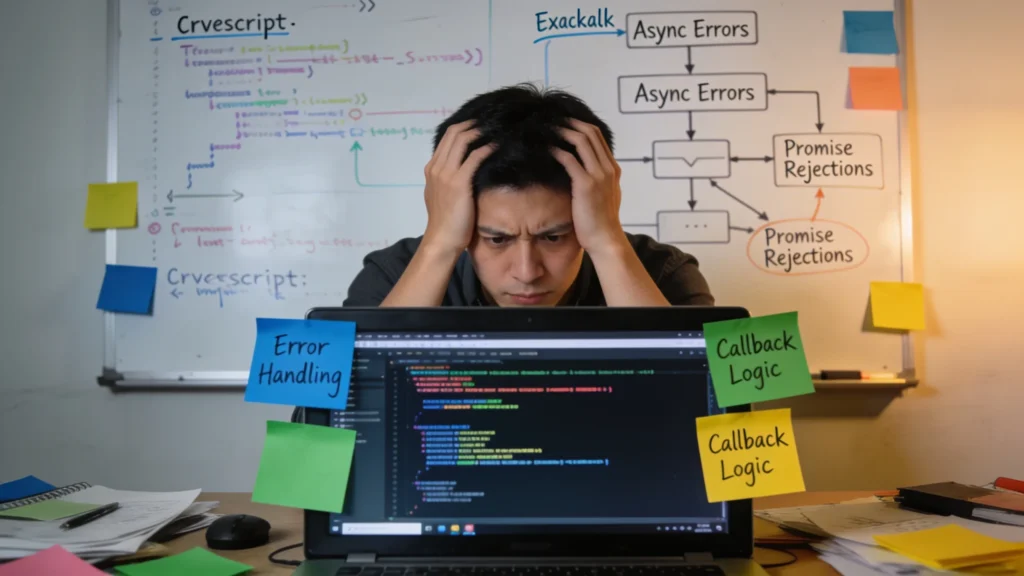
Callback errors can often be a source of confusion and frustration for developers, particularly when dealing with asynchronous code. Understanding how these errors manifest especially important for effective debugging and maintaining code quality.
When a callback function is invoked, it may not always execute successfully. This can lead to unhandled exceptions that can crash your application or lead to inconsistent behavior. To illustrate this, consider the following example:
function fetchData(callback) {
  setTimeout(() => {
    // Simulating an error
    const error = new Error("Data not found");
    callback(error, null);
  }, 1000);
}

fetchData((error, data) => {
  if (error) {
    console.error("Error occurred:", error.message);
    return;
  }
  console.log("Data received:", data);
});
In this example, the callback receives an error object instead of the expected data. The error handling is done explicitly within the callback function, which is an essential pattern to adopt. However, it’s important to recognize that not all callbacks handle errors the same way. When working with libraries or APIs, the callback signature may vary.
Another common issue arises when developers forget to check for errors altogether. This can lead to situations where the application continues executing code that relies on successful outcomes, resulting in a cascade of failures. Here’s a simple illustration:
function processData(data, callback) {
  if (!data) {
    callback(new Error("No data provided"));
    return;
  }
  // Process the data...
}
In this case, if the data is missing, the callback is invoked with an error. However, if you skip this check, you might attempt to process undefined data, which could lead to runtime errors that are much harder to track down.
One must also consider the context in which callbacks are executed. The scope and closure can lead to unexpected behavior if not managed correctly. For instance:
function outerFunction() {
  let count = 0;
  setTimeout(function callback() {
    count++;
    console.log("Count:", count);
  }, 1000);
}
Here, the callback function captures the count variable from its scope. If this function is called multiple times, it can lead to unexpected results if not properly isolated. Understanding these nuances is key to mastering callback functions and ensuring they behave as expected.
As you work with callbacks, keep in mind the importance of clarity in your error handling. Clear and consistent patterns will not only make your code more robust but also easier for others to understand and maintain. A well-structured error handling approach can save countless hours of debugging down the road. When you establish a standard practice, you set the foundation for a more stable application.
Using libraries that handle callbacks, such as async.js, can also help alleviate some of these issues by providing a more structured approach to asynchronous programming. These tools abstract away some of the complexities of managing callbacks and help promote better error handling practices, which will allow you to focus more on the logic of your application than the intricacies of error management.
Ultimately, recognizing that callback errors are an integral part of asynchronous programming will help you approach your code with the necessary caution and diligence. Rather than viewing errors as an inconvenience, consider them a valuable opportunity to learn and adapt your coding practices.

【Pack of 2】 New Universal Remote for All Samsung TV Remote, Replacement Compatible for All Samsung Smart TV, LED, LCD, HDTV, 3D, Series TV
$9.96 (as of July 13, 2026 03:21 GMT +00:00 - More infoProduct prices and availability are accurate as of the date/time indicated and are subject to change. Any price and availability information displayed on [relevant Amazon Site(s), as applicable] at the time of purchase will apply to the purchase of this product.)Implementing error handling patterns
Implementing robust error handling patterns is essential in managing callbacks effectively. One common pattern is to use the error-first callback convention, where the first argument of the callback is reserved for an error object. This pattern allows for a uniform way to check for errors across various callbacks. Here’s how it can be applied:
function readFile(filePath, callback) {
  fs.readFile(filePath, (error, data) => {
    if (error) {
      callback(error);
      return;
    }
    callback(null, data);
  });
}

readFile("example.txt", (error, data) => {
  if (error) {
    console.error("Failed to read file:", error.message);
    return;
  }
  console.log("File contents:", data);
});
In this example, the readFile function adheres to the error-first pattern, allowing the caller to easily check for errors without needing to understand the internal workings of the function. When implementing this pattern, it especially important to ensure that every possible error case is handled, especially when dealing with file I/O or network requests.
Another effective strategy is to wrap your callback logic in a try-catch block. This can be particularly useful when the callback itself contains synchronous code that may throw exceptions. Here’s an example:
function processData(data, callback) {
  try {
    // Simulating data processing
    const result = data.map(item => item * 2);
    callback(null, result);
  } catch (error) {
    callback(error);
  }
}

processData([1, 2, 3], (error, result) => {
  if (error) {
    console.error("Error processing data:", error.message);
    return;
  }
  console.log("Processed data:", result);
});
By wrapping the processing logic in a try-catch block, you can catch synchronous errors that might arise during execution. This adds another layer of safety, ensuring that your application does not crash unexpectedly due to unhandled exceptions.
When designing callback functions, consider providing meaningful error messages. This can greatly aid in debugging and improve the overall developer experience. For example:
function fetchUser(userId, callback) {
  if (!userId) {
    callback(new Error("User ID is required"));
    return;
  }
  // Simulate fetching user data
}
In this snippet, the error message clearly states the problem when a user ID is not provided. Such clarity is invaluable, especially in larger applications where tracking down the source of an error can be time-consuming.
Moreover, adopting a consistent error handling strategy across your codebase promotes maintainability. Team members will have a shared understanding of how errors are communicated and handled, reducing the cognitive load when navigating the code. A common practice is to create a centralized error handling function that can be reused throughout your application:
function handleError(error) {
  console.error("An error occurred:", error.message);
  // Additional logging or user notifications can be added here
}
With this setup, whenever an error occurs, you can call handleError to manage the error uniformly. This not only keeps your code DRY (Don’t Repeat Yourself) but also ensures that all errors are logged consistently, making it easier to monitor application health.
As you implement these patterns, remember that the goal is to create a tough and enduring codebase. Proper error handling not only improves the reliability of your application but also enhances the user experience by preventing unexpected crashes and providing informative feedback. Ultimately, investing time in establishing solid error handling practices pays off in the long run, contributing to a more stable and maintainable codebase.
Best practices for robust callback functions
When designing robust callback functions, it’s essential to prioritize clarity and maintainability. One effective approach is to limit the number of parameters in your callback functions. A common pitfall is creating callbacks with too many arguments, which can lead to confusion about the order and significance of each parameter. Instead, consider using an object to encapsulate the callback parameters, making the code self-documenting:
function processUserInput(input, callback) {
  const result = { success: true, data: input };
  callback(result);
}

processUserInput("sample input", (result) => {
  if (result.success) {
    console.log("Processed input:", result.data);
  } else {
    console.error("Input processing failed.");
  }
});
This pattern improves readability and allows for easier expansion in the future. If you need to pass additional information to the callback, simply add more properties to the result object rather than increasing the number of parameters.
Another best practice is to provide default values for callback parameters. This can prevent errors when a caller forgets to supply a callback and allows for more flexible function usage:
function fetchData(url, callback = () => {}) {
  // Simulate an API request
  setTimeout(() => {
    const data = { message: "Data retrieved successfully." };
    callback(null, data);
  }, 1000);
}

fetchData("http://example.com/api");
In this example, the fetchData function provides a default no-op callback. This ensures that even if the caller does not provide a callback, the function can still execute without throwing an error.
Furthermore, consider the use of promises or async/await syntax as an alternative to traditional callbacks. While not strictly callbacks, these constructs can lead to cleaner and more manageable code. They help eliminate the so-called “callback hell,” where functions are nested within callbacks, making the code difficult to read and maintain:
function fetchDataAsync(url) {
  return new Promise((resolve, reject) => {
    setTimeout(() => {
      const data = { message: "Data retrieved successfully." };
      resolve(data);
    }, 1000);
  });
}

fetchDataAsync("http://example.com/api")
  .then(data => console.log("Data:", data))
  .catch(error => console.error("Error:", error));
By using promises, you can chain operations and handle errors more gracefully, leading to a more readable flow of asynchronous operations.
Lastly, always document your callback functions thoroughly. Clear documentation helps other developers understand the expected behavior, parameters, and potential errors associated with your callbacks. This practice fosters better collaboration and speeds up onboarding for new team members:
/**
 * Fetch user data from the API.
 * @param {string} userId - The ID of the user to fetch.
 * @param {function} callback - The callback function to handle the result.
 */
function fetchUserData(userId, callback) {
  if (!userId) {
    callback(new Error("User ID is required."));
    return;
  }
  // Simulate fetching user data
}
In this documentation example, the function’s purpose and parameters are clearly outlined, making it easier for others to use the function correctly.
By following these best practices, you can create robust callback functions that enhance code clarity, maintainability, and error handling. Remember, the goal is to write code that not only functions well but is also easy to read and understand for anyone who may work on it in the future.