JavaScript manages memory automatically, but understanding how it works under the hood very important for writing efficient code. At its core, memory allocation happens when you create variables, objects, arrays, or functions. The JavaScript engine allocates space in the heap for these values.
Garbage collection is the process that frees up memory no longer in use. The most common strategy is mark-and-sweep: the engine marks all accessible objects starting from roots like global variables and the current call stack, then sweeps away the unmarked ones. This means if something is still reachable, it won’t be collected.
Closures can keep memory alive longer than intended. When an inner function references variables from an outer function, those variables remain in memory as long as the inner function exists. That is powerful but can cause leaks if you are not careful.
Here’s a simple example showing how closure keeps memory alive:
function outer() {
  let largeArray = new Array(1000000).fill(0);
  return function inner() {
    console.log(largeArray[0]);
  };
}

const fn = outer();
// The largeArray will not be garbage collected because fn still references it.
Understanding the lifecycle of objects is key. Objects become unreachable primarily when there are no references pointing to them, which allows the garbage collector to reclaim their memory. However, circular references within objects won’t inherently cause leaks in modern JavaScript engines, but if DOM elements are involved, they can.
Memory management also depends on scope. Variables inside functions get cleaned up when the function finishes unless they escape via closures or global assignments. On the other hand, global variables persist for the lifetime of the application.
Another subtle point: JavaScript engines optimize memory usage by reusing space for short-lived objects, but if you keep creating large objects repeatedly without releasing references, memory consumption will spike.
Here’s an example showing how unintentional global variables cause memory to persist:
function createLeak() {
  leakedVar = new Array(1000000).fill(1); // forgot to use var/let/const
}
createLeak();
// leakedVar is now global and won't be freed until page unload.
Understanding these patterns lets you write code that doesn’t accidentally pin large objects in memory. Next, we’ll dive into the typical patterns that cause leaks and how to spot them before they become a problem. But the core takeaway here is: if you keep references alive, the memory stays alive.

MOSISO Laptop Case 13.3 inch, 13-13.3 inch Laptop Sleeve Compatible with MacBook Air/Pro 13/Pro 14 M5 M4 M3 M2 M1, HP Dell ASUS Lenovo,Polyester Vertical Computer Sleeve Bag with Pocket, Black
$14.99 (as of July 20, 2026 03:55 GMT +00:00 - More infoProduct prices and availability are accurate as of the date/time indicated and are subject to change. Any price and availability information displayed on [relevant Amazon Site(s), as applicable] at the time of purchase will apply to the purchase of this product.)Common causes of memory leaks in JavaScript
Event listeners are a notorious source of memory leaks. When you attach an event listener to a DOM element and forget to remove it after the element is removed from the document, the reference from the listener to the callback function and any closed-over variables keeps those objects alive.
Consider this example:
const element = document.getElementById('button');
function onClick() {
  console.log('Clicked');
}
element.addEventListener('click', onClick);
// Later, if you remove the element from the DOM but don't call:
// element.removeEventListener('click', onClick);
// the element and the listener remain in memory.
Closures combined with timers can also cause leaks. If you use setInterval or setTimeout with a callback that closes over large objects, and you forget to clear the timer, those objects will stay in memory indefinitely.
function startTimer() {
  const bigData = new Array(1000000).fill('data');
  setInterval(() => {
    console.log(bigData[0]);
  }, 1000);
}
// If you never clear this interval, bigData remains in memory.
Detached DOM nodes are another common trap. When you remove a node from the DOM tree but still hold a reference to it in JavaScript, the node and its subtree can’t be garbage collected. This often happens in frameworks or manual DOM manipulation when references linger.
Memory leaks can also arise from caches or data structures that grow without bounds. If you store objects in a global or long-lived cache and never prune unused entries, memory usage will climb over time.
const cache = new Map();

function cacheData(key, value) {
  cache.set(key, value);
  // Without a strategy to remove keys, cache size grows forever.
}
Leaks happen when references to objects remain reachable unintentionally. Event listeners, timers, global variables, detached DOM nodes, and unbounded caches are common culprits. Monitoring and explicitly releasing references is necessary to keep memory usage stable.
Tools and techniques for detecting memory leaks
Detecting memory leaks requires a combination of code discipline and tooling. The first step is to monitor your application’s memory usage over time. If you see a steady increase without corresponding drops, that’s a red flag.
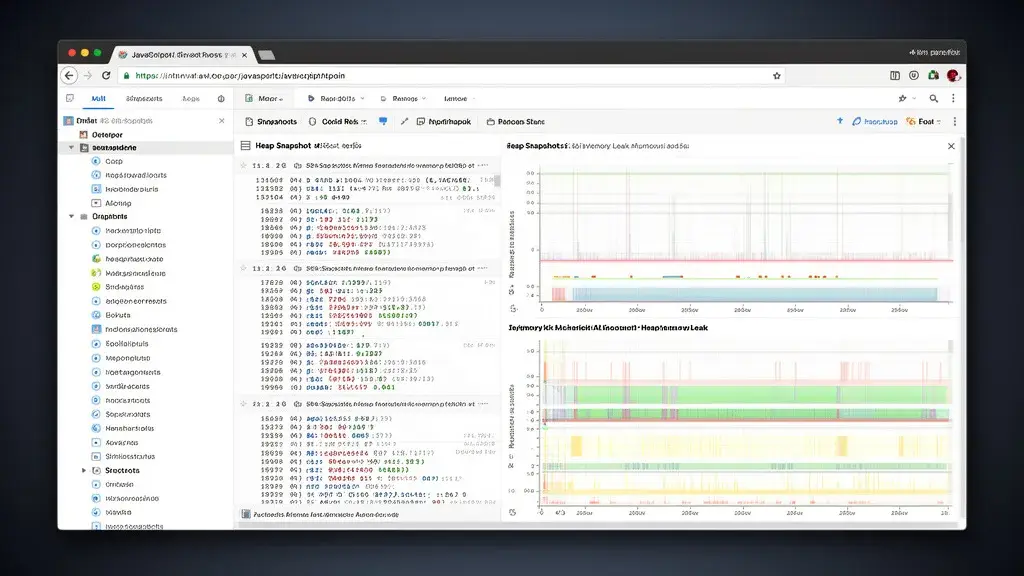
Browser developer tools provide powerful utilities for this. In Chrome DevTools, for example, the Performance and Memory panels let you record heap snapshots, track allocation timelines, and identify detached DOM trees.
Heap snapshots are snapshots of all objects in memory at a given moment. By comparing snapshots taken at different times, you can find objects that should have been freed but still exist. Look for detached DOM nodes, listeners, or closures that hold onto large objects.
Here’s how you might approach this in Chrome DevTools:
// 1. Open DevTools (F12 or Ctrl+Shift+I)
// 2. Navigate to the Memory tab
// 3. Take a Heap Snapshot before the suspected leak activity
// 4. Perform operations in your app that might cause leaks
// 5. Take another Heap Snapshot
// 6. Compare the two snapshots to find retained objects
Using the Allocation instrumentation on timeline, you can see where in your code objects are allocated and how long they live. This helps pinpoint leaks related to specific functions or event handlers.
Another useful tool is the console.memory API, which provides programmatic access to memory usage metrics. While less detailed than heap snapshots, it’s handy for quick checks or automated monitoring.
setInterval(() => {
  console.log('JS Heap Size:', performance.memory.usedJSHeapSize);
}, 5000);
For Node.js environments, tools like --inspect flag and node --inspect-brk allow you to connect Chrome DevTools to your server process. Heap snapshots and CPU profiles can be taken similarly to browser debugging.
Profilers such as clinic.js and heapdump can generate heap snapshots and help analyze memory consumption over time in production scenarios.
In addition to manual inspection, automated tools like eslint-plugin-no-leaked-promises or custom lint rules can catch common patterns that lead to leaks, such as forgotten timer clearances or unremoved event listeners.
Instrumenting your code with weak references and finalization registries (where supported) can also help manage memory explicitly. For example:
const registry = new FinalizationRegistry((heldValue) => {
  console.log('Object collected:', heldValue);
});

function createObject() {
  let obj = { data: new Array(1000000).fill(0) };
  registry.register(obj, 'largeObject');
  return obj;
}

let obj = createObject();
obj = null; // When GC runs, the callback will log the message
Lastly, regular code reviews focusing on memory management patterns and adopting best practices—like removing event listeners, clearing timers, and pruning caches—are essential to keep leaks at bay.