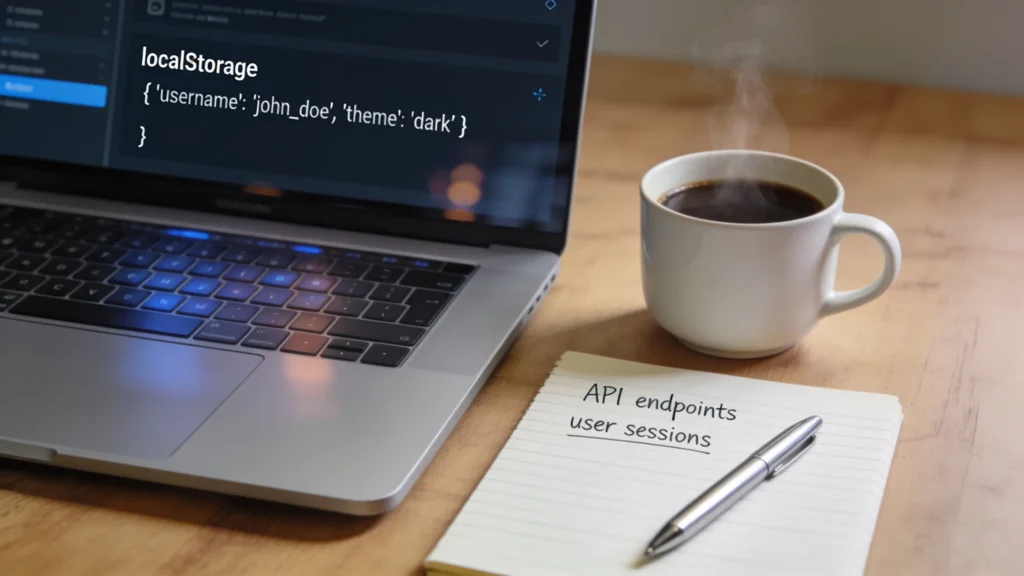
localStorage is a part of the Web Storage API that allows developers to store data in the user’s browser persistently. Unlike cookies, data stored in localStorage does not expire when the browser is closed, making it perfect for saving user preferences or application state.
It operates on a key-value pair basis, where both the key and value are strings. To use localStorage, you can access it directly through the global window object, which means it’s available across all tabs and windows of the same origin.
Storing data is simpler. You simply call the setItem method with a key and a value.
localStorage.setItem('username', 'john_doe');
Retrieving the stored data is equally simple using the getItem method.
const username = localStorage.getItem('username');
console.log(username); // Output: john_doe
It’s important to note that localStorage can only store strings. If you need to store objects, they must be serialized to JSON format before storage.
const user = { name: 'John', age: 30 };
localStorage.setItem('user', JSON.stringify(user));
To retrieve and parse this object, you would use:
const storedUser = JSON.parse(localStorage.getItem('user'));
console.log(storedUser.name); // Output: John
However, one must understand the limitations of localStorage, such as its synchronous nature, which can lead to performance issues when handling large amounts of data. Additionally, it’s essential to manage the storage effectively to avoid exceeding the quota limit, which is typically around 5MB across most browsers.
With this understanding of localStorage, we can delve into the significance of checking for the existence of keys before attempting to access or manipulate the stored data. This practice ensures that our code runs smoothly without encountering errors from trying to access non-existent keys.

JanSport Cool Backpack, with 15-inch Laptop Sleeve - Large Computer Bag Rucksack with 2 Compartments, Ergonomic Straps, Black
$62.08 (as of July 18, 2026 03:40 GMT +00:00 - More infoProduct prices and availability are accurate as of the date/time indicated and are subject to change. Any price and availability information displayed on [relevant Amazon Site(s), as applicable] at the time of purchase will apply to the purchase of this product.)The significance of key existence checks
Checking for key existence can prevent runtime errors and unexpected behavior in your application. When you attempt to retrieve a value using a key that does not exist, the getItem method will return null. If your code does not handle this scenario properly, it may lead to issues such as attempting to access properties on null, which results in a TypeError.
By implementing a simple existence check, you can ensure that your application behaves as expected. A common pattern is to check if the value returned by getItem is null before proceeding with any operations on the retrieved data.
const username = localStorage.getItem('username');
if (username !== null) {
  console.log(Welcome back, ${username}!);
} else {
  console.log('No user found. Please log in.');
}
This check is particularly useful in scenarios where user authentication or personalized settings are involved. It allows you to provide fallback logic or prompt the user to take action when the expected data is not available.
Moreover, key existence checks can help in maintaining data integrity. For instance, if you’re storing an array of items and need to update or delete a specific item, verifying that the key exists ensures that you’re not attempting to modify data this is not there.
const items = JSON.parse(localStorage.getItem('items'));
if (items && Array.isArray(items)) {
  // Proceed to update the items
} else {
  console.log('No items found to update.');
}
Implementing these checks consistently throughout your codebase can lead to more robust applications. It reduces the likelihood of encountering issues during execution and enhances the overall user experience.
In addition to existence checks, best practices for managing localStorage keys involve establishing a clear naming convention, which can prevent key collisions and improve code readability. Using prefixes or namespaces can help categorize keys related to different features or components of your application.
localStorage.setItem('user_profile_username', 'john_doe');
localStorage.setItem('user_profile_age', '30');
Furthermore, it’s advisable to periodically clean up unused keys to maintain optimal performance and avoid hitting the storage quota limit. This can be achieved through a dedicated cleanup function that removes keys that are no longer needed.
function cleanupLocalStorage() {
  localStorage.removeItem('obsolete_key');
}
By adopting these practices, you can ensure that your localStorage usage is efficient, reliable, and aligned with the needs of your application. As you continue to develop and maintain your code, remember that proactive management of localStorage keys will lead to a more stable and predictable environment for your users.
As you implement these strategies, consider the implications of data persistence in the context of user privacy and security. Always be mindful of what data you are storing and ensure that sensitive information is handled appropriately.
Implementing the check for key existence
To implement the check for key existence in localStorage, you can craft a utility function that encapsulates the logic, enhancing reusability across your application. This function will take a key as an argument and return a boolean indicating whether the key exists in localStorage.
function keyExists(key) {
  return localStorage.getItem(key) !== null;
}
Using this function, you can streamline your code and avoid repetitive checks. For example, when loading user preferences, you can simply call this utility:
if (keyExists('user_preferences')) {
  const preferences = JSON.parse(localStorage.getItem('user_preferences'));
  // Apply user preferences
} else {
  console.log('No user preferences found, applying defaults.');
}
This approach not only clarifies your intent but also centralizes the logic for checking key existence, making future adjustments easier. If you decide to change how you check for key existence, you only need to update the utility function.
When working with arrays or objects, consider wrapping your retrieval logic in a function that checks for existence and handles parsing. This can further reduce boilerplate code and enhance readability:
function getParsedItem(key) {
  const item = localStorage.getItem(key);
  return item ? JSON.parse(item) : null;
}
With this utility, you can retrieve and parse an item from localStorage in a single call:
const user = getParsedItem('user');
if (user) {
  console.log(User found: ${user.name});
} else {
  console.log('User not found.');
}
Implementing these abstractions will not only make your code cleaner but also improve maintainability. Moreover, consider error handling within your utility functions to manage potential parsing errors gracefully. This can be done using try-catch blocks:
function getParsedItemSafe(key) {
  const item = localStorage.getItem(key);
  try {
    return item ? JSON.parse(item) : null;
  } catch (error) {
    console.error(Error parsing item with key ${key}:, error);
    return null;
  }
}
By incorporating such error handling, you enhance the robustness of your application. It prepares your code to deal with unexpected data formats that might inadvertently be stored in localStorage, thereby preventing runtime errors that could disrupt the user experience.
Best practices for managing localStorage keys extend beyond just existence checks. Consider implementing a versioning system for your stored data. That is particularly useful when your application evolves, and the structure of stored data changes:
const APP_VERSION = '1.0';
localStorage.setItem('app_version', APP_VERSION);
Before accessing stored data, check the version to ensure compatibility:
const storedVersion = localStorage.getItem('app_version');
if (storedVersion !== APP_VERSION) {
  // Migrate data or clear old keys
}
This proactive approach to version control will help mitigate issues arising from changes in your application’s data structure, ensuring that the data remains usable and relevant as your application grows and evolves.
Lastly, always remember to document your localStorage usage and the purpose of each key clearly. This documentation serves as a reference for future developers and for yourself when revisiting your code after some time. Clear documentation helps in maintaining the integrity and understanding of your application’s data management strategy.
As you continue to refine your localStorage implementations, keep in mind the balance between performance and functionality. Regularly evaluate your data storage practices to ensure they align with the evolving needs of your application, and stay vigilant about potential security implications associated with persistent storage.
Best practices for managing localStorage keys
To implement the check for key existence in localStorage, you can craft a utility function that encapsulates the logic, enhancing reusability across your application. This function will take a key as an argument and return a boolean indicating whether the key exists in localStorage.
function keyExists(key) {
  return localStorage.getItem(key) !== null;
}
Using this function, you can streamline your code and avoid repetitive checks. For example, when loading user preferences, you can simply call this utility:
if (keyExists('user_preferences')) {
  const preferences = JSON.parse(localStorage.getItem('user_preferences'));
  // Apply user preferences
} else {
  console.log('No user preferences found, applying defaults.');
}
This approach not only clarifies your intent but also centralizes the logic for checking key existence, making future adjustments easier. If you decide to change how you check for key existence, you only need to update the utility function.
When working with arrays or objects, consider wrapping your retrieval logic in a function that checks for existence and handles parsing. This can further reduce boilerplate code and enhance readability:
function getParsedItem(key) {
  const item = localStorage.getItem(key);
  return item ? JSON.parse(item) : null;
}
With this utility, you can retrieve and parse an item from localStorage in a single call:
const user = getParsedItem('user');
if (user) {
  console.log(User found: ${user.name});
} else {
  console.log('User not found.');
}
Implementing these abstractions will not only make your code cleaner but also improve maintainability. Moreover, consider error handling within your utility functions to manage potential parsing errors gracefully. This can be done using try-catch blocks:
function getParsedItemSafe(key) {
  const item = localStorage.getItem(key);
  try {
    return item ? JSON.parse(item) : null;
  } catch (error) {
    console.error(Error parsing item with key ${key}:, error);
    return null;
  }
}
By incorporating such error handling, you enhance the robustness of your application. It prepares your code to deal with unexpected data formats that might inadvertently be stored in localStorage, thereby preventing runtime errors that could disrupt the user experience.
Best practices for managing localStorage keys extend beyond just existence checks. Consider implementing a versioning system for your stored data. This is particularly useful when your application evolves, and the structure of stored data changes:
const APP_VERSION = '1.0';
localStorage.setItem('app_version', APP_VERSION);
Before accessing stored data, check the version to ensure compatibility:
const storedVersion = localStorage.getItem('app_version');
if (storedVersion !== APP_VERSION) {
  // Migrate data or clear old keys
}
This proactive approach to version control will help mitigate issues arising from changes in your application’s data structure, ensuring that the data remains usable and relevant as your application grows and evolves.
Lastly, always remember to document your localStorage usage and the purpose of each key clearly. This documentation serves as a reference for future developers and for yourself when revisiting your code after some time. Clear documentation helps in maintaining the integrity and understanding of your application’s data management strategy.
As you continue to refine your localStorage implementations, keep in mind the balance between performance and functionality. Regularly evaluate your data storage practices to ensure they align with the evolving needs of your application, and stay vigilant about potential security implications associated with persistent storage.