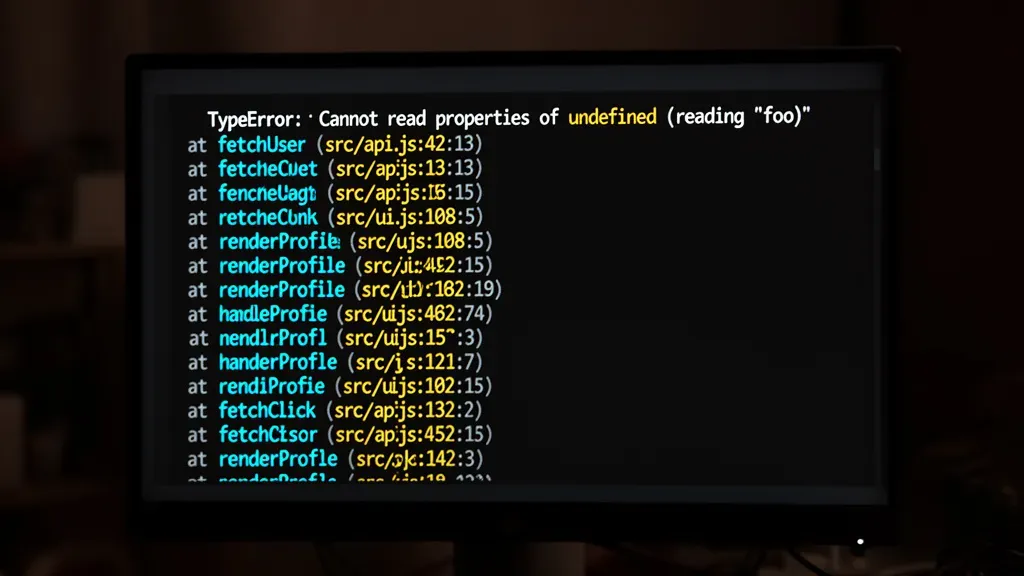
The error object in JavaScript is an important part of error handling, providing developers with a structured way to manage errors that occur during execution. It contains properties that help identify the nature and location of the issue. One of the most significant properties of the error object is the stack property, which offers a snapshot of the call stack at the moment the error was thrown.
This stack property is particularly useful for debugging purposes. It gives a list of the function calls that led to the error, allowing developers to trace back through the code execution path. The format of the stack trace can vary between different JavaScript engines, but it generally includes the names of the functions involved and their respective line numbers.
To illustrate how this works, consider the following example:
function functionA() {
  throw new Error("Something went wrong!");
}

function functionB() {
  functionA();
}

function functionC() {
  functionB();
}

try {
  functionC();
} catch (error) {
  console.log(error.stack);
}
In this example, when functionA throws an error, the catch block captures it, and we log the stack trace to the console. The output will typically show the sequence of function calls that led to the error, which might look something like this:
Error: Something went wrong!
    at functionA (app.js:2:9)
    at functionB (app.js:6:3)
    at functionC (app.js:10:3)
This information is invaluable for debugging, as it points directly to the source of the error and the context in which it occurred. It’s important to remember that the stack trace provides a snapshot of the program’s execution at the moment the error was thrown, which very important for understanding how the system arrived at that state.
Moreover, the stack property can also be leveraged to improve error reporting in applications. By integrating logging mechanisms that capture and store these stack traces, developers can analyze error patterns over time. This can lead to a deeper understanding of common failure points within applications, enabling more robust error handling strategies. However, be cautious as excessive logging can lead to performance issues, particularly in high-traffic applications, so consider adopting a strategy that balances detail with performance.
Moreover, it’s essential to note that not all errors will have a stack trace available, particularly if they are not thrown as exceptions. Understanding the limitations of the error object and its properties is vital for effective debugging. In asynchronous code, for example, the stack trace might not provide the full context of the execution flow, which can complicate troubleshooting efforts.
MORELECS Aux to USB C, 3.3ft Aux Cord to USB C Compatible with iPhone 15/16/17, Galaxy S24/S23, iPad Pro, Pixel - Type C to 3.5mm Cord for Car, Headphones, Speakers
$5.99 (as of June 6, 2026 23:50 GMT +00:00 - More infoProduct prices and availability are accurate as of the date/time indicated and are subject to change. Any price and availability information displayed on [relevant Amazon Site(s), as applicable] at the time of purchase will apply to the purchase of this product.)Capturing stack traces in asynchronous code
When dealing with asynchronous code, capturing stack traces can become more complex due to the nature of how JavaScript handles asynchronous operations. Promises and async/await syntax introduce layers of abstraction that can obscure the original call stack. For instance, if an error occurs in a promise chain, the stack trace might not point directly to the original function that initiated the promise.
Consider the following example where an error is thrown in an asynchronous function:
async function asyncFunction() {
  throw new Error("Async error!");
}

async function callerFunction() {
  await asyncFunction();
}

callerFunction().catch(error => {
  console.log(error.stack);
});
In this case, the stack trace output may not clearly show the path leading to asyncFunction, as the error originates from an asynchronous context. The result might look like this:
Error: Async error!
    at asyncFunction (app.js:2:9)
    at callerFunction (app.js:6:3)
    at processTicksAndRejections (node:internal/process/task_queues:96:5)
Notice how the stack trace includes processTicksAndRejections. This reflects the internal handling of the asynchronous operation, which can add confusion when trying to trace back to the original call site. To address this, developers can use techniques such as wrapping asynchronous calls in try/catch blocks or using libraries that enhance stack trace information.
For example, using the async_hooks module in Node.js allows you to maintain context across asynchronous calls. This can be particularly useful for logging or debugging purposes. Here’s a basic implementation:
const async_hooks = require('async_hooks');
const fs = require('fs');

let store = new Map();

const asyncHook = async_hooks.createHook({
  init(asyncId, type, triggerAsyncId) {
    store.set(asyncId, { triggerAsyncId });
  },
  before(asyncId) {
    const { triggerAsyncId } = store.get(asyncId);
    fs.writeSync(1, Before asyncId: ${asyncId}, triggered by: ${triggerAsyncId}n);
  },
  after(asyncId) {
    fs.writeSync(1, After asyncId: ${asyncId}n);
  },
  destroy(asyncId) {
    store.delete(asyncId);
  }
});

asyncHook.enable();

async function someAsyncFunction() {
  await new Promise(resolve => setTimeout(resolve, 100));
}

someAsyncFunction();
This code snippet sets up an async hook that logs the lifecycle of asynchronous operations. By capturing the trigger information, it becomes easier to understand the flow of execution, especially when errors occur. This approach can significantly improve the clarity of debugging asynchronous code.
Another best practice is to attach additional context to errors, especially in asynchronous operations. By enhancing error objects with additional information, such as user inputs or state data, you can provide more insight into what led to the error. Here’s an example of how to do that:
async function processUserData(userId) {
  try {
    const userData = await fetchUserData(userId);
    // Process user data...
  } catch (error) {
    error.userId = userId; // Attach additional context
    throw error;
  }
}

processUserData(123).catch(error => {
  console.error(Error for user ${error.userId}: ${error.message});
  console.log(error.stack);
});
By attaching the userId to the error, you can quickly identify which user’s data caused the issue, streamlining the debugging process. This practice not only aids in immediate troubleshooting but also contributes to better error reporting and analysis in the long run.
Capturing stack traces in asynchronous code presents unique challenges, but with the right techniques and tools, developers can effectively manage and debug these scenarios. By understanding the nuances of asynchronous execution and employing strategies to improve error reporting, developers can maintain a robust error handling framework that supports the complexities of modern JavaScript applications.
Best practices for logging and analyzing stack traces
When logging errors, it’s essential to consider not just the error message and stack trace, but also the context in which the error occurred. A well-structured logging approach can greatly enhance your ability to diagnose issues. Incorporating a logging library can help manage log levels and formats, making it easier to filter relevant information during debugging.
For instance, using a library like Winston in Node.js allows for flexible logging configurations. Below is a simple setup for logging errors with stack traces:
const winston = require('winston');

const logger = winston.createLogger({
  level: 'error',
  format: winston.format.combine(
    winston.format.timestamp(),
    winston.format.json()
  ),
  transports: [
    new winston.transports.Console(),
    new winston.transports.File({ filename: 'error.log' })
  ]
});

function logError(error) {
  logger.error({
    message: error.message,
    stack: error.stack,
    timestamp: new Date().toISOString()
  });
}
In this example, all errors are logged with a timestamp and stack trace, either to the console or to a file. This structured approach makes it easier to analyze logs later, especially when dealing with production issues.
Another key practice is to categorize errors based on their severity. Distinguishing between critical errors that require immediate attention and minor issues can help prioritize responses. For example, you might log fatal errors that crash the application differently than validation errors that can be handled gracefully.
In addition to logging, consider creating a centralized error reporting service. This can aggregate error data from various parts of your application, providing insights into common issues and trends. For instance, integrating with a service like Sentry or Rollbar can automate the collection of error stack traces and contextual information, ensuring that you don’t miss critical issues.
Here’s how you might send an error to Sentry:
const Sentry = require('@sentry/node');

Sentry.init({ dsn: 'YOUR_SENTRY_DSN' });

function someFunction() {
  try {
    // Code that may throw an error
  } catch (error) {
    Sentry.captureException(error);
    throw error; // Re-throw to maintain stack trace
  }
}
By capturing exceptions with Sentry, you not only log the error but also gain access to additional features like performance monitoring and user context, which can greatly enhance your debugging capabilities.
Finally, when analyzing stack traces, be aware of the environment in which your code is running. Different environments (development, staging, production) can have varying configurations that may affect the stack trace. Ensure that your logging strategy accounts for these differences to avoid confusion during troubleshooting.
Effective logging and analysis of stack traces involve a combination of structured logging, contextual information, error categorization, and the use of external tools. By adopting these best practices, you can streamline your debugging process and improve the overall reliability of your applications.