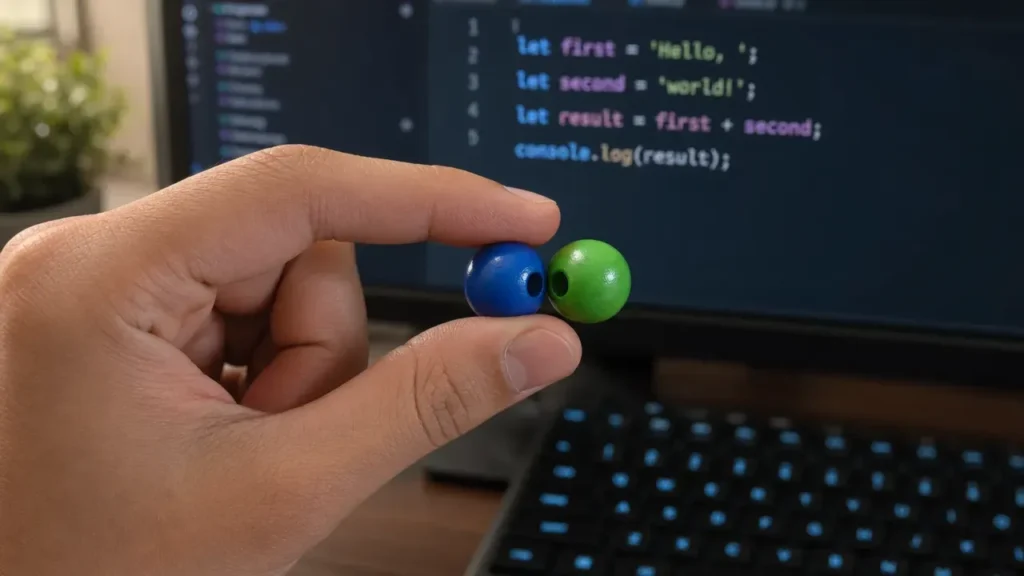
When you just want to stick two strings together, the plus operator is your simplest tool. It’s simpler and does exactly what you expect: it concatenates strings.
Consider this example:
let firstName = "Joel";
let lastName = "Spolsky";

let fullName = firstName + " " + lastName;
console.log(fullName); // Outputs: Joel Spolsky
Notice how the space between the two names is explicitly added as a string. If you forget that, your output will be squished together – like “JoelSpolsky”. Simple stuff, but surprisingly easy to overlook.
It’s also handy when mixing strings with other types, though JavaScript coerces the other values into strings:
let age = 42;
let message = "Age: " + age;
console.log(message); // Outputs: Age: 42
This implicit coercion can be convenient but can also trip you up if you’re not careful. For example, if you’re adding numbers and strings without parentheses, you might get a concatenated string instead of a sum:
console.log("5" + 3 + 2); // Outputs: 532
console.log(5 + 3 + "2"); // Outputs: 82
Here, the order matters because + is left-associative. The first example treats “5” + 3 as a string concatenation, then adds 2 as a string. The second example adds 5 + 3 first, then concatenates “2”.
Using + for concatenation is perfectly fine for small snippets, but it can get messy when you have multiple variables or long strings. For those cases, template literals usually offer a cleaner and more readable alternative.
But before moving on, remember the plus operator is a double-edged sword: it’s simple, but the implicit type coercion can cause bugs if you’re not paying attention. Always be explicit when mixing types or prefer template literals for clarity.
Also, a quick note on performance: in modern JavaScript engines, using + for concatenation is usually very fast for a small number of strings. If you’re concatenating thousands of strings in a loop, then a different approach might be warranted, but for everyday use, + is perfectly acceptable.
One last trick: when concatenating many strings, you can chain + operators, but it quickly becomes hard to read:
let greeting = "Hello, " + firstName + " " + lastName + "! Welcome to the site.";
Compare that to template literals where you can embed variables directly without breaking the string apart. But we’ll get to that next. For now, master the plus operator before moving on—it’s the foundation of string concatenation in JavaScript and understanding its quirks will save you headaches later.
Keep in mind that using + with null or undefined values will convert them to strings “null” or “undefined”, which may be undesirable:
let middleName = null;
console.log(firstName + " " + middleName + " " + lastName);
// Outputs: Joel null Spolsky
To avoid this, you might want to add checks or defaults:
let middleNameSafe = middleName || "";
console.log(firstName + " " + middleNameSafe + " " + lastName);
// Outputs: Joel  Spolsky
This is just another example of how + concatenation can subtly introduce bugs if you’re not careful with your data types and values. It’s simple, yes, but requires attention to detail.
Now, if you’re dealing with multi-line strings or need more readable code, the plus operator can quickly become unwieldy. That’s where template literals shine, but before we get there, it’s worth mentioning that + concatenation is perfectly valid for short, quick operations where performance and simplicity matter.
Just remember: when you see + in string concatenation, think carefully about the types of the operands and the order of evaluation to avoid unexpected results. And don’t forget that null and undefined will sneak into your strings if you’re not guarding against them.
Moving forward, we’ll explore how template literals can make your code cleaner and easier to maintain, but the plus operator will always be the baseline from which you start.
One last piece of code to illustrate some gotchas with + concatenation:
let num = 10;
let str = "20";
console.log(num + str); // Outputs: 1020 (number coerced to string)
console.log(num + Number(str)); // Outputs: 30 (explicit conversion)
console.log(String(num) + str); // Outputs: 1020 (explicit conversion to string)
Explicit conversions keep things clear and avoid unintended bugs. This approach is usually better than relying on JavaScript’s implicit coercion rules, which can be confusing when debugging.
So, use + for simple concatenation, but:
- Always be aware of operand types.
- Use parentheses to control order if mixing numbers and strings.
- Guard against null or undefined values.
- Prefer explicit conversions when needed.
That’s the essence of using + for string concatenation. Next, let’s see how template literals can make this cleaner.

HP DeskJet 2855e Wireless All-in-One Color Inkjet Printer, Scanner, Copier, Best-for-home, 3 month Instant Ink trial included. This printer is only 2.4 ghz capable. (588S5A)
$46.43 (as of June 9, 2026 00:04 GMT +00:00 - More infoProduct prices and availability are accurate as of the date/time indicated and are subject to change. Any price and availability information displayed on [relevant Amazon Site(s), as applicable] at the time of purchase will apply to the purchase of this product.)Using template literals for cleaner code
Template literals, introduced in ES6, provide a powerful way to work with strings that can significantly improve the readability of your code. They allow for multi-line strings and variable interpolation without the need for cumbersome concatenation.
To create a template literal, you simply use backticks (</code>) instead of quotes. Here’s a basic example:</p>
<pre class="EnlighterJSRAW" data-enlighter-language="js">
let firstName = "Joel";
let lastName = "Spolsky";
let fullName = ${firstName} ${lastName};
console.log(fullName); // Outputs: Joel Spolsky
</pre>
<p>This syntax is cleaner, and you don’t have to worry about adding spaces manually. You can embed any expression inside the placeholders, which makes it incredibly versatile:</p>
<pre class="EnlighterJSRAW" data-enlighter-language="js">
let age = 42;
let message = Age: ${age};
console.log(message); // Outputs: Age: 42
</pre>
<p>Template literals also allow for multi-line strings, which is a huge improvement over using <code>+</code> to concatenate strings across lines:</p>
<pre class="EnlighterJSRAW" data-enlighter-language="js">
let greeting = Hello, ${firstName} ${lastName}!
Welcome to the site.;
console.log(greeting);
/* Outputs:
Hello, Joel Spolsky!
Welcome to the site.
*/
</pre>
<p>This makes your code much easier to read and maintain, especially when constructing longer strings. You can see the structure of your string at a glance without having to mentally piece it together from multiple lines of concatenation.</p>
<p>However, while template literals enhance readability, they also come with some quirks. For instance, if you try to use an expression that evaluates to <code>null</code> or <code>undefined</code>, it will be converted to the string "null" or "undefined", similar to the <code>+</code> operator:</p>
<pre class="EnlighterJSRAW" data-enlighter-language="js">
let middleName = null;
let fullNameWithMiddle = ${firstName} ${middleName} ${lastName};
console.log(fullNameWithMiddle);
// Outputs: Joel null Spolsky
</pre>
<p>To avoid this, you might still want to use default values or checks, just as you would with concatenation:</p>
<pre class="EnlighterJSRAW" data-enlighter-language="js">
let middleNameSafe = middleName || "";
let fullNameWithSafeMiddle = ${firstName} ${middleNameSafe} ${lastName};
console.log(fullNameWithSafeMiddle);
// Outputs: Joel Spolsky
</pre>
<p>Another thing to keep in mind is that template literals are not just for simple string construction. You can also perform complex expressions right inside the placeholders:</p>
<pre class="EnlighterJSRAW" data-enlighter-language="js">
let x = 5;
let y = 10;
console.log(The sum of ${x} and ${y} is ${x + y}.);
// Outputs: The sum of 5 and 10 is 15.
</pre>
<p>This flexibility is a game changer compared to traditional string concatenation. However, it’s essential to use this power judiciously. Overly complex expressions can make your strings harder to understand.</p>
<p>While template literals are generally more readable and versatile, there are still cases where you might need to fall back on the plus operator for legacy code or very simple scenarios. But for new code, template literals should be your go-to choice for string manipulation.</p>
<p>As much as template literals simplify things, you still need to be cautious about the types of data being interpolated. If you're pulling in data from various sources, always validate or sanitize it to prevent unintended outputs or errors.</p>
<p>Now, let’s delve into some common pitfalls that can arise with both template literals and the plus operator. Understanding these can help you avoid frustrating debugging sessions later on...</p><h2>Common pitfalls and how to avoid them</h2><p>One common pitfall when using the plus operator or template literals is accidentally introducing unwanted whitespace or missing spaces altogether. For example:</p>
<pre class="EnlighterJSRAW" data-enlighter-language="js">
let firstName = "Joel";
let lastName = "Spolsky";
console.log(firstName + lastName); // Outputs: JoelSpolsky (missing space)
console.log(${firstName}${lastName}); // Outputs: JoelSpolsky (also missing space)${firstName} ${lastName}
</pre>
<p>Always remember to explicitly add spaces where needed, either with a string containing a space or inside the template literal:</p>
<pre class="EnlighterJSRAW" data-enlighter-language="js">
console.log(firstName + " " + lastName); // Correct: Joel Spolsky
console.log(); // Correct: Joel Spolsky
</pre>
<p>Another subtle trap is the difference between <code>null</code>, <code>undefined</code>, and empty strings. When interpolated or concatenated, these values become the strings "null" or "undefined", which can pollute your output:</p>
<pre class="EnlighterJSRAW" data-enlighter-language="js">
let middleName = undefined;
console.log(firstName + " " + middleName + " " + lastName);
// Outputs: Joel undefined Spolsky
console.log(${firstName} ${middleName} ${lastName});
// Outputs: Joel undefined Spolsky
</pre>
<p>To avoid this, explicitly check or sanitize your values before concatenation or interpolation:</p>
<pre class="EnlighterJSRAW" data-enlighter-language="js">
let middleNameSafe = middleName ?? ""; // Using nullish coalescing operator
console.log(${firstName} ${middleNameSafe} ${lastName});Hello,
// Outputs: Joel Spolsky
</pre>
<p>Beware of operator precedence and the left-to-right evaluation order when mixing numbers and strings with the plus operator. This often leads to unexpected concatenation instead of numeric addition:</p>
<pre class="EnlighterJSRAW" data-enlighter-language="js">
console.log("10" + 5 + 3); // Outputs: 1053
console.log(10 + 5 + "3"); // Outputs: 153
</pre>
<p>To fix this, use parentheses to force the intended operation:</p>
<pre class="EnlighterJSRAW" data-enlighter-language="js">
console.log("10" + (5 + 3)); // Outputs: 108
console.log((10 + 5) + "3"); // Outputs: 153
</pre>
<p>When using template literals, watch out for unintended line breaks or extra spaces introduced by formatting your code. For instance:</p>
<pre class="EnlighterJSRAW" data-enlighter-language="js">
let message =
${firstName}!
Welcome to the site.;Hello, ${firstName}! Welcome to the site.
console.log(message);
/* Outputs:
Hello,
Joel!
Welcome to the site.
*/
</pre>
<p>If you want to avoid the line break after "Hello,", write it all on one line or use string trimming methods:</p>
<pre class="EnlighterJSRAW" data-enlighter-language="js">
let message = ;He said,
console.log(message); // Outputs: Hello, Joel! Welcome to the site.
</pre>
<p>Another gotcha is escaping backticks inside template literals. Since backticks delimit the template, if you need to include one inside the string, you must escape it with a backslash:</p>
<pre class="EnlighterJSRAW" data-enlighter-language="js">
let quote = Hello!;Hello!
console.log(quote); // Outputs: He said,
</pre>

<p>Failing to escape will cause a syntax error.</p>

<p>Also, remember that template literals do not automatically escape HTML or special characters. If you’re generating HTML or user-facing content, sanitize interpolated values to prevent injection attacks:</p>

<pre class="EnlighterJSRAW" data-enlighter-language="js">

let userInput = "<script>alert('xss')</script>";

let safeOutput = ; // This will render raw HTML/JS, which can be dangerous${firstName} ${lastName}
</pre>
<p>Use libraries or functions to escape these strings before interpolation in such cases.</p>
<p>Performance-wise, template literals and plus operator concatenation are roughly equivalent for small to medium strings. However, avoid building large strings in loops with either method; using <code>Array.join()</code> or string builders can be more efficient:</p>
<pre class="EnlighterJSRAW" data-enlighter-language="js">
console.log(firstName + " " + lastName); // Correct: Joel Spolsky
console.log(); // Correct: Joel Spolsky${firstName} ${lastName}`); // Correct: Joel Spolsky
</pre>0
<p>This approach minimizes intermediate string creation and is more memory-friendly.</p>
<p>Finally, watch out for the temptation to embed complex logic inside template literals. While you can do this, overly complicated expressions inside <code>${}</code> make your code harder to read and maintain:</p>
<pre class="EnlighterJSRAW" data-enlighter-language="js">
console.log(firstName + " " + lastName); // Correct: Joel Spolsky
console.log(
Separating logic from presentation keeps code cleaner and debugging easier.