JavaScript objects can often contain properties that are themselves objects, leading to a structure known as nested properties. Understanding how to navigate and manipulate these nested properties is important for effective programming in JavaScript.
To access a nested property, you can use either dot notation or bracket notation. Dot notation is simpler when the property names are valid identifiers. For example:
const user = {
  name: "Alice",
  address: {
    city: "Wonderland",
    zip: "12345"
  }
};

console.log(user.address.city); // "Wonderland"
However, if the property names are not valid identifiers or if they are dynamic, bracket notation is the way to go:
const property = "zip";
console.log(user.address[property]); // "12345"
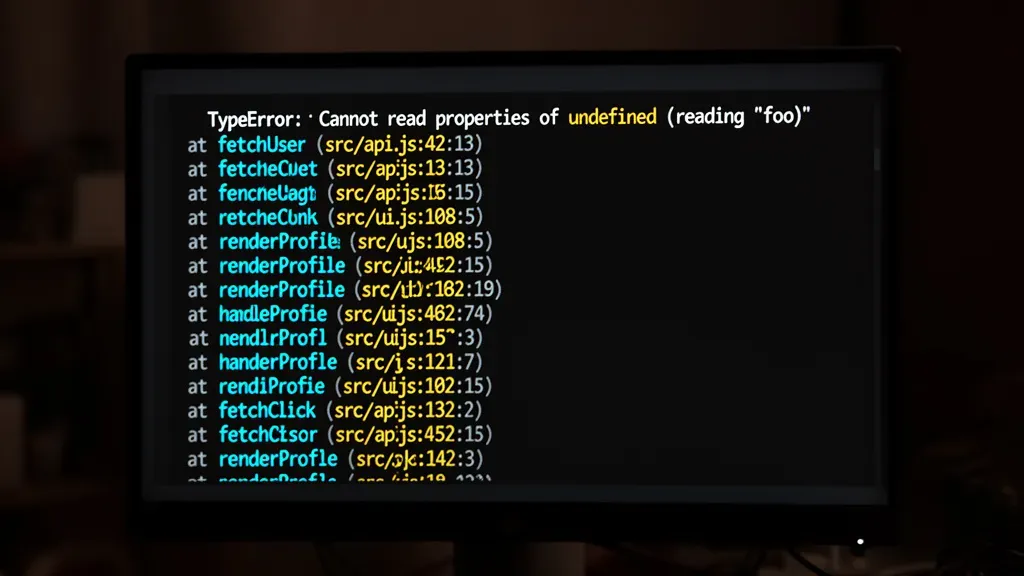
When dealing with nested properties, it is essential to consider what happens if a property in the chain does not exist. Accessing a non-existent property will result in an undefined value, which can lead to errors if you try to access a further nested property. For example:
console.log(user.address.country.name); // TypeError: Cannot read properties of undefined
To avoid these errors, you can use optional chaining, introduced in ES2020, which allows you to safely access deeply nested properties. If any property in the chain is null or undefined, it short-circuits and returns undefined:
console.log(user.address?.country?.name); // undefined
While optional chaining is a powerful tool, it’s important to understand the implications of using it in your code. It can lead to situations where you may inadvertently ignore errors or fail to handle cases where a property is missing. This can be particularly problematic if subsequent logic relies on the existence of a property that is missed due to optional chaining.
Another approach to safely navigate nested objects is by using libraries like Lodash. Lodash provides utility functions that simplify many common tasks associated with object manipulation, including deeply nested properties. For instance, to safely get a nested property, you can use:
const city = _.get(user, 'address.city', 'Default City');
console.log(city); // "Wonderland"
This function allows you to specify a default value if the path does not exist, which can be valuable for ensuring your application behaves predictably even when data might be incomplete.
Setting nested properties can be just as tricky. Using simple assignment may not suffice if the intermediate objects do not exist. To set a deeply nested value safely, Lodash again comes to the rescue with the _.set method:
_.set(user, 'address.country.name', 'Wonderlandia');
console.log(user.address.country.name); // "Wonderlandia"
This method creates the necessary objects along the path if they do not already exist, which prevents the common pitfall of trying to access or set properties on undefined.
Understanding how to work with nested properties in JavaScript objects allows developers to write more robust and error-tolerant code while effectively managing complex data structures. Yet, as with any powerful tool, it’s essential to remain cautious and aware of the potential pitfalls that can arise from improper handling of these structures.
As you delve deeper into the world of JavaScript objects, you’ll discover that the nuances of their structures can affect both performance and maintainability. Each method or approach has its trade-offs, and being mindful of these can lead to more efficient coding practices. When you venture into manipulating these objects, consider not just the immediate task at hand but also how your choices influence the overall architecture of your application. Continuously refining your understanding will help you to write cleaner, more effective code…

Misxi 2 Pack Tempered Glass Case Compatible for Apple Watch Series 11 (2025) Series 10 46mm, Screen Protector Cover for iWatch, Black
$9.96 (as of June 9, 2026 00:04 GMT +00:00 - More infoProduct prices and availability are accurate as of the date/time indicated and are subject to change. Any price and availability information displayed on [relevant Amazon Site(s), as applicable] at the time of purchase will apply to the purchase of this product.)Using Lodash to safely set deeply nested values
When using _.set, the path can be specified as a string with property names separated by dots or as an array of keys. This flexibility allows you to handle keys that contain dots or special characters by using an array notation:
_.set(user, ['address', 'country', 'name'], 'Wonderlandia');
console.log(user.address.country.name); // "Wonderlandia"
Behind the scenes, _.set traverses the object chain and creates any missing objects along the way. This behavior is what distinguishes it from direct assignment, which would fail if any intermediate property is undefined. Consider the difference:
const data = {};

data.a = {};
data.a.b = {};
data.a.b.c = 42;

console.log(data.a.b.c); // 42

// Versus:

const obj = {};

obj.a.b.c = 42; // TypeError: Cannot set property 'c' of undefined
Using _.set simplifies this process:
const obj = {};

_.set(obj, 'a.b.c', 42);
console.log(obj.a.b.c); // 42
It’s worth noting that _.set modifies the original object in place and returns it, allowing for chaining or immediate use of the updated object.
Additionally, when setting values, if the path points to an existing non-object property but the path continues deeper, _.set will overwrite the non-object value with an object to accommodate the new nested property. For example:
const example = { a: 'string' };

_.set(example, 'a.b.c', 5);
console.log(example.a.b.c); // 5
console.log(typeof example.a); // "object"
This behavior can be beneficial or surprising, depending on context, so it’s important to be aware of it when designing your data structures.
For cases where you want to avoid mutating the original object, Lodash offers _.setWith, which accepts a customizer function to control object creation along the path:
const _ = require('lodash');

const obj = {};

_.setWith(obj, 'a.b.c', 42, Object);
console.log(obj.a.b.c); // 42
Here, the Object constructor is used as the customizer to create missing objects. You can customize this further to create instances of specific classes or handle special cases.
In summary, Lodash’s _.set and its variants provide a reliable and concise way to set deeply nested properties without the boilerplate of checking and creating intermediate objects manually. This utility shines when working with dynamic or unpredictable data structures.
Yet, even with Lodash, it’s prudent to consider the implications of silently creating nested objects. Sometimes, the presence or absence of certain nested properties might indicate a mistake or an unexpected state in your data. Blindly setting values deep within an object can mask such issues, making debugging harder.
To mitigate this, combine _.set usage with validation or schema checks before manipulating the data. Libraries like Joi or Yup can help enforce expected object shapes, and TypeScript’s type system can provide compile-time guarantees about nested properties.
When integrating Lodash into your project, remember that tree-shaking capabilities in modern build tools can help avoid bundling the entire library if you only use a few functions. Importing specific methods like so:
import set from 'lodash/set';
import get from 'lodash/get';

set(user, 'profile.settings.theme', 'dark');
const theme = get(user, 'profile.settings.theme', 'light');
keeps your bundle size minimal and your code clean.
Next, consider the edge cases that arise when setting nested properties, such as handling arrays within objects, keys that are numbers or symbols, and the impact of prototypes on property paths. For example, what happens if the path includes array indices?
const data = {};

_.set(data, 'users[0].name', 'Bob');
console.log(data.users[0].name); // "Bob"
Lodash gracefully interprets bracket notation in strings, treating numeric indices as positions in arrays. If the array does not exist, it will be created, and intermediate elements will be undefined until explicitly set.
This feature is powerful but requires care. Setting an index far beyond the current array length will create a sparse array with empty slots:
const arrObj = {};

_.set(arrObj, 'items[5]', 'value');
console.log(arrObj.items.length); // 6
console.log(arrObj.items); // [ , 'value' ]
Such sparse arrays can have performance implications and may cause unexpected behavior when iterating over elements. It’s best to initialize arrays explicitly or use methods that handle array growth predictably.
Handling keys that are symbols or non-string types is another subtlety. Lodash’s _.set expects the path as a string or array of strings/numbers. Symbol keys require a different approach, as they cannot be represented in a string path. You must set them directly:
const sym = Symbol('id');
const obj = {};

obj[sym] = 123;
console.log(obj[sym]); // 123
In such cases, _.set is not suitable, and manual assignment is necessary.
Prototypes also play a role. Setting nested properties may create objects that inherit from Object.prototype by default. If your application uses prototype chains or classes, be mindful that _.set does not instantiate classes or respect prototype inheritance when creating intermediate objects.
For instance, if you want intermediate objects to be instances of a specific class, you’ll need to use _.setWith and provide a customizer that returns instances accordingly:
class ConfigSection {
  constructor() {
    this.createdAt = new Date();
  }
}

const config = {};

_.setWith(config, 'database.settings.pool', 10, (nsValue, key, nsObject) => {
  if (key === 'settings') return new ConfigSection();
  return Object.create(null);
});

console.log(config.database.settings instanceof ConfigSection); // true
This approach ensures that your data structure maintains the desired types and behaviors throughout the nested paths.
Ultimately, using Lodash to set deeply nested values safely is a powerful technique that simplifies many common challenges. However, the nuances of JavaScript objects, arrays, and prototypes require a careful and informed approach to avoid subtle bugs and maintain code clarity. Balancing convenience with control is the key as you continue to work with complex nested data…
Handling edge cases and avoiding common pitfalls
JavaScript objects can often contain properties that are themselves objects, leading to a structure known as nested properties. Understanding how to navigate and manipulate these nested properties especially important for effective programming in JavaScript.
To access a nested property, you can use either dot notation or bracket notation. Dot notation is simpler when the property names are valid identifiers. For example:
const user = {
  name: "Alice",
  address: {
    city: "Wonderland",
    zip: "12345"
  }
};

console.log(user.address.city); // "Wonderland"
However, if the property names are not valid identifiers or if they are dynamic, bracket notation is the way to go:
const property = "zip";
console.log(user.address[property]); // "12345"
When dealing with nested properties, it’s essential to consider what happens if a property in the chain does not exist. Accessing a non-existent property will result in an undefined value, which can lead to errors if you try to access a further nested property. For example:
console.log(user.address.country.name); // TypeError: Cannot read properties of undefined
To avoid these errors, you can use optional chaining, introduced in ES2020, which allows you to safely access deeply nested properties. If any property in the chain is null or undefined, it short-circuits and returns undefined:
console.log(user.address?.country?.name); // undefined
While optional chaining is a powerful tool, it’s important to understand the implications of using it in your code. It can lead to situations where you may inadvertently ignore errors or fail to handle cases where a property is missing. This can be particularly problematic if subsequent logic relies on the existence of a property that’s missed due to optional chaining.
Another approach to safely navigate nested objects is by using libraries like Lodash. Lodash provides utility functions that simplify many common tasks associated with object manipulation, including deeply nested properties. For instance, to safely get a nested property, you can use:
const city = _.get(user, 'address.city', 'Default City');
console.log(city); // "Wonderland"
This function allows you to specify a default value if the path does not exist, which can be valuable for ensuring your application behaves predictably even when data might be incomplete.
Setting nested properties can be just as tricky. Using simple assignment may not suffice if the intermediate objects do not exist. To set a deeply nested value safely, Lodash again comes to the rescue with the _.set method:
_.set(user, 'address.country.name', 'Wonderlandia');
console.log(user.address.country.name); // "Wonderlandia"
This method creates the necessary objects along the path if they do not already exist, which prevents the common pitfall of trying to access or set properties on undefined.
Understanding how to work with nested properties in JavaScript objects allows developers to write more robust and error-tolerant code while effectively managing complex data structures. Yet, as with any powerful tool, it’s essential to remain cautious and aware of the potential pitfalls that can arise from improper handling of these structures.
As you delve deeper into the world of JavaScript objects, you’ll discover that the nuances of their structures can affect both performance and maintainability. Each method or approach has its trade-offs, and being mindful of these can lead to more efficient coding practices. When you venture into manipulating these objects, consider not just the immediate task at hand but also how your choices influence the overall architecture of your application. Continuously refining your understanding will help you to write cleaner, more effective code…
When using _.set, the path can be specified as a string with property names separated by dots or as an array of keys. This flexibility allows you to handle keys that contain dots or special characters by using an array notation:
_.set(user, ['address', 'country', 'name'], 'Wonderlandia');
console.log(user.address.country.name); // "Wonderlandia"
Behind the scenes, _.set traverses the object chain and creates any missing objects along the way. This behavior is what distinguishes it from direct assignment, which would fail if any intermediate property is undefined. Consider the difference:
const data = {};

data.a = {};
data.a.b = {};
data.a.b.c = 42;

console.log(data.a.b.c); // 42

// Versus:

const obj = {};

obj.a.b.c = 42; // TypeError: Cannot set property 'c' of undefined
Using _.set simplifies this process:
const obj = {};

_.set(obj, 'a.b.c', 42);
console.log(obj.a.b.c); // 42
It’s worth noting that _.set modifies the original object in place and returns it, allowing for chaining or immediate use of the updated object.
Additionally, when setting values, if the path points to an existing non-object property but the path continues deeper, _.set will overwrite the non-object value with an object to accommodate the new nested property. For example:
const example = { a: 'string' };

_.set(example, 'a.b.c', 5);
console.log(example.a.b.c); // 5
console.log(typeof example.a); // "object"
This behavior can be beneficial or surprising, depending on context, so it’s important to be aware of it when designing your data structures.
For cases where you want to avoid mutating the original object, Lodash offers _.setWith, which accepts a customizer function to control object creation along the path:
const property = "zip";
console.log(user.address[property]); // "12345"
Here, the Object constructor is used as the customizer to create missing objects. You can customize this further to create instances of specific classes or handle special cases.
In summary, Lodash’s _.set and its variants provide a reliable and concise way to set deeply nested properties without the boilerplate of checking and creating intermediate objects manually. This utility shines when working with dynamic or unpredictable data structures.
Yet, even with Lodash, it’s prudent to consider the implications of silently creating nested objects. Sometimes, the presence or absence of certain nested properties might indicate a mistake or an unexpected state in your data. Blindly setting values deep within an object can mask such issues, making debugging harder.
To mitigate this, combine _.set usage with validation or schema checks before manipulating the data. Libraries like Joi or Yup can help enforce expected object shapes, and TypeScript’s type system can provide compile-time guarantees about nested properties.
When integrating Lodash into your project, remember that tree-shaking capabilities in modern build tools can help avoid bundling the entire library if you only use a few functions. Importing specific methods like so:
const property = "zip";
console.log(user.address[property]); // "12345"
keeps your bundle size minimal and your code clean.
Next, consider the edge cases that arise when setting nested properties, such as handling arrays within objects, keys that are numbers or symbols, and the impact of prototypes on property paths. For example, what happens if the path includes array indices?
const property = "zip";
console.log(user.address[property]); // "12345"
Lodash gracefully interprets bracket notation in strings, treating numeric indices as positions in arrays. If the array does not exist, it will be created, and intermediate elements will be undefined until explicitly set.
This feature is powerful but requires care. Setting an index far beyond the current array length will create a sparse array with empty slots:
const property = "zip";
console.log(user.address[property]); // "12345"
Such sparse arrays can have performance implications and may cause unexpected behavior when iterating over elements. It’s best to initialize arrays explicitly or use methods that handle array growth predictably.
Handling keys that are symbols or non-string types is another subtlety. Lodash’s _.set expects the path as a string or array of strings/numbers. Symbol keys require a different approach, as they cannot be represented in a string path. You must set them directly:
const property = "zip";
console.log(user.address[property]); // "12345"
In such cases, _.set is not suitable, and manual assignment is necessary.
Prototypes also play a role. Setting nested properties may create objects that inherit from Object.prototype by default. If your application uses prototype chains or classes, be mindful that _.set does not instantiate classes or respect prototype inheritance when creating intermediate objects.
For instance, if you want intermediate objects to be instances of a specific class, you’ll need to use _.setWith and provide a customizer that returns instances accordingly:
const property = "zip";
console.log(user.address[property]); // "12345"
This approach ensures that your data structure maintains the desired types and behaviors throughout the nested paths.
Ultimately, using Lodash to set deeply nested values safely is a powerful technique that simplifies many common challenges. However, the nuances of JavaScript objects, arrays, and prototypes require a careful and informed approach to avoid subtle bugs and maintain code clarity. Balancing convenience with control is the key as you continue to work with complex nested data…